Why U.S. Property Managers Are Switching to Digital Smart Locks
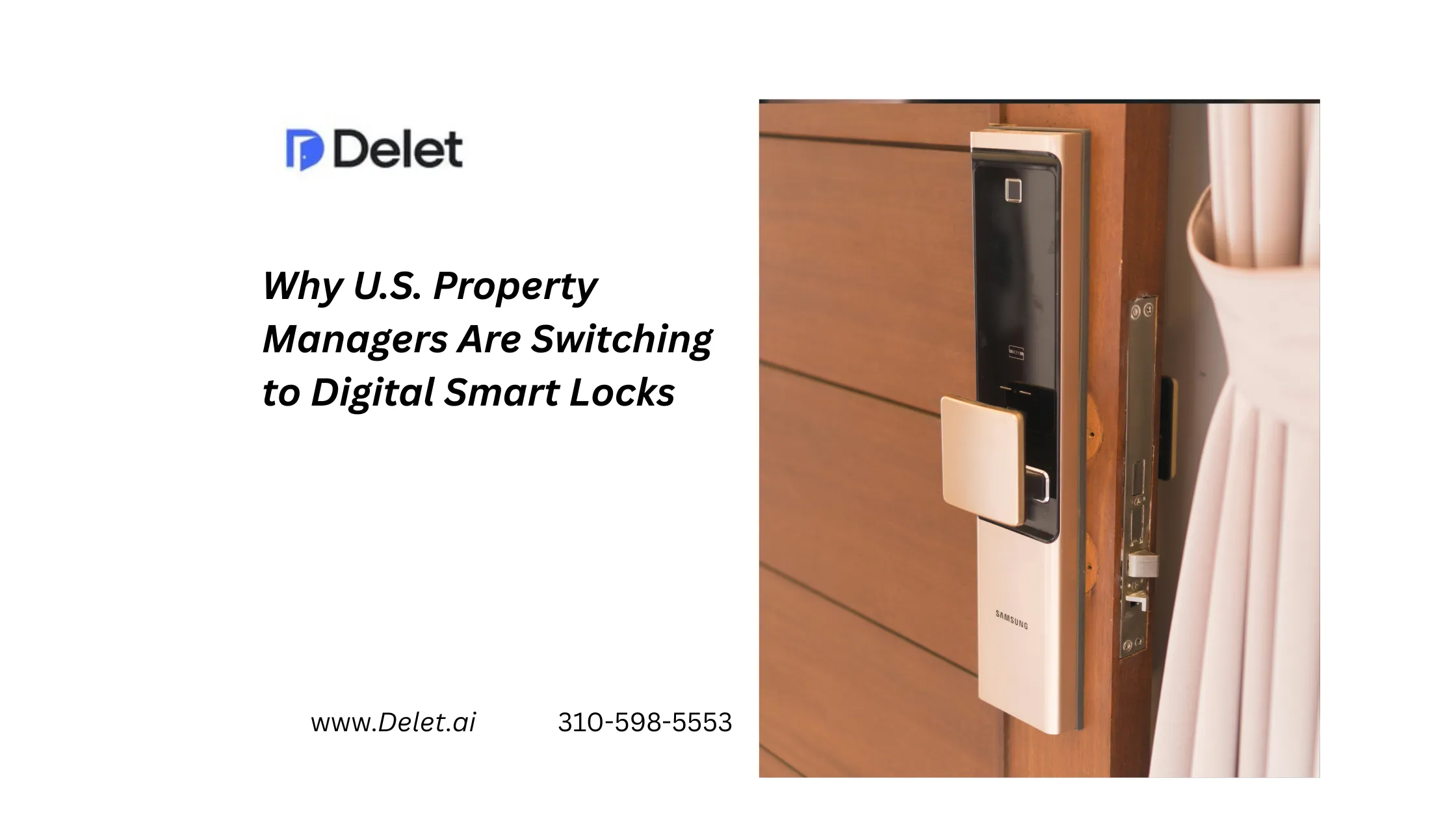
For property managers, traditional keys are becoming harder to justify in a leasing environment built around speed, security, and digital convenience. Across the United States, multifamily operators are adopting Smart Lock Property Management solutions to control access remotely, reduce manual key handling, and support modern leasing experiences such as Apartment Self Tour.
The change is not simply about replacing a metal key with a smartphone. The bigger opportunity is connecting smart lock integration, visitor identity verification, temporary access credentials, real-time tour monitoring, and centralized property dashboards into one operational workflow.
For California property managers in particular, where large multifamily portfolios, high renter competition, and geographically distributed teams can make access coordination challenging, digital access can become an important part of a scalable leasing strategy.
Why Are Property Managers Moving Away From Traditional Keys?
Physical keys create several operational problems.
Keys have to be issued, collected, copied, tracked, replaced, and sometimes rekeyed. If a leasing agent is unavailable or a key is at another property, a prospect may have to wait for a tour.
Digital smart locks change the process.
Property teams can issue a temporary credential for a specific person and time window, then revoke or expire that access without physically visiting the property.
Modern access platforms can also maintain activity records, helping teams understand when doors were accessed and by whom.
The goal is not simply keyless entry. It is controlled, trackable access that fits into property management operations.
Smart Lock Property Management: What Does It Actually Mean?
Smart Lock Property Management means using connected or digitally managed locks as part of the broader property-management workflow.
Instead of treating the lock as a standalone device, operators can connect access with:
- Property management software
- Tour scheduling
- Visitor identity verification
- Self-guided apartment tours
- Temporary access credentials
- Resident and vendor access
- Centralized dashboards
- Real-time notifications
- Access activity records
This creates a more complete access-control system across individual apartments, common areas, and other controlled spaces.
Smart Locks Are Becoming Part of the Renter Experience
Smart locks are not only an operational tool.
They can also influence how renters experience a community.
The 2022 NMHC/Grace Hill Renter Preferences Survey included more than 221,000 renters nationwide and found that 59% were interested in or would not rent without keyless smart locks.
That does not mean every renter requires a smart lock. It does show that digital access has become a meaningful part of the connected-apartment conversation.
For operators, this creates an opportunity to combine convenience with better access control.
The Connection Between Smart Locks and Apartment Self Tour
One of the strongest use cases for smart locks is Apartment Self Tour.
A traditional showing often requires:
Prospect → Leasing agent → Key → Property → Tour
A digital self-tour workflow can look more like:
Prospect → Verification → Tour booking → Temporary access → Self-guided tour → Follow-up
The difference is significant.
A prospect does not necessarily have to wait for an employee to be available. Once the required verification and scheduling steps are completed, the system can provide controlled access during the approved tour window.
This is why smart locks are becoming closely connected to self-guided leasing.
The National Association of REALTORS® has also highlighted smart locks as an enabling technology for self-guided tours, noting that prospects can receive unique access credentials after registering for a tour.
What Should Property Managers Look For in a Smart Lock System?
Not every smart lock solution is equally useful for multifamily operations.
The lock itself is only one part of the technology stack.
| Capability | Why It Matters |
| Temporary access | Limits credentials to approved users and time windows |
| Visitor identity verification | Helps establish accountability before access |
| Smart lock integration | Connects digital leasing workflows with physical access |
| Real-time tour monitoring | Gives teams visibility into touring activity |
| Centralized property dashboard | Helps manage multiple properties from one system |
| PMS integration | Reduces duplicate data entry and disconnected workflows |
| Mobile credentials | Makes access easier for residents, staff, and prospects |
| Access history | Creates an operational record of entry events |
| Offline capability | Useful where Wi-Fi or connectivity is limited |
| Automated credential expiration | Reduces the risk of old codes remaining active |
For larger portfolios, these software capabilities can be just as important as the hardware.
Smart Access Technology Can Reduce Leasing Friction
Consider a California multifamily property with several vacant units.
A prospect requests a tour at 7 p.m.
With a traditional process, the property may have to wait until the next business day or coordinate an employee to meet the prospect.
With a properly configured smart-access workflow, the prospect can potentially complete verification, select an available time, receive temporary access, and tour without requiring an employee to physically hand over a key.
That does not guarantee a lease.
But it removes one major source of friction between interest and action.
Visitor Identity Verification Adds an Important Security Layer
Self-guided access should not mean unrestricted access.
Verification is an important part of the process.
Modern self-tour platforms may verify a prospect’s identity before providing access. Tour24, for example, describes ID verification and smart-lock integration as part of its self-guided touring workflow.
Other platforms also combine identity checks, phone validation, location controls, and temporary credentials. ShowMojo, for example, describes identity verification and geolocation controls within its self-showing workflow.
The key principle is simple:
Convenient access should still be controlled access.
Real-Time Tour Monitoring Improves Visibility
A smart lock becomes more valuable when property managers can see what is happening around it.
A centralized system can potentially provide information such as:
- Scheduled tour times
- Access events
- Credential status
- Visitor information
- Tour completion
- Property activity
- Exceptions or alerts
Some platforms extend this further with security cameras and tour intelligence.
Rently, for example, positions self-touring alongside smart access and security cameras as part of its broader property technology platform.
This creates a more complete operating picture than simply installing a keypad.
Smart Locks Can Support More Than Apartment Tours
A common mistake is thinking smart locks are only useful for prospects.
Property managers can also use digital credentials for:
Residents: Provide keyless apartment access.
Maintenance teams: Provide controlled access for scheduled work.
Vendors: Issue temporary credentials without physical key handoffs.
Leasing teams: Manage access remotely.
Move-ins and move-outs: Provision or revoke access based on defined dates.
This broader use case can make the technology more valuable across the property lifecycle.
RealPage, for example, describes smart access as supporting residents, guests, garages, amenities, and other access points through mobile credentials and centralized management.
What Competitors Often Miss
The market is increasingly crowded with smart-lock and self-tour solutions.
Tour24 focuses strongly on self-guided tours, smart-lock integration, ID verification, and tour intelligence.
Rently combines self-touring with smart-home, access-control, security-camera, and leasing solutions.
ShowMojo takes a broader leasing-automation approach that includes showing scheduling, access control, screening, reporting, and self-showing.
The important lesson for property managers is that buying a smart lock alone does not create a modern leasing operation.
The competitive advantage comes from connecting the physical lock to the digital leasing workflow.
Best Practices for Implementing Smart Locks
Before deploying digital locks across a U.S. or California portfolio, property managers should:
- Start with the operational problem. Identify whether the biggest issue is key management, self-tour availability, resident access, vendor access, or all of them.
- Check hardware compatibility. Confirm that the solution works with the doors, existing access-control systems, and property infrastructure.
- Prioritize temporary credentials. Prospect and vendor access should be limited to the appropriate time and purpose.
- Use identity verification where appropriate. Self-guided access should maintain accountability.
- Connect the lock to leasing workflows. Scheduling and access should work together rather than requiring manual code creation.
- Create centralized visibility. Portfolio managers should not need to check individual properties to understand access activity.
- Plan for connectivity issues. Some properties need offline or alternative access capabilities. Modern solutions increasingly support this requirement.
Common Mistakes to Avoid
Buying hardware without software integration. A smart lock that operates independently may simply create another system for staff to manage.
Ignoring self-tour security. Convenience should never mean uncontrolled access.
Using permanent prospect codes. Temporary credentials are generally better suited to short-term visitor access.
Forgetting common areas. A prospect may need access through gates, entrances, elevators, amenities, and the apartment itself.
Ignoring the resident lifecycle. The best systems can support access beyond the initial tour.
Related blog: 25 Apartment Industry Statistics Every Property Manager Should Know in 2026
The Bottom Line
For property managers, digital smart locks are becoming more than a replacement for traditional keys.
They are becoming part of a broader operating system for Smart Lock Property Management—one that can connect secure access, Apartment Self Tour, visitor identity verification, real-time tour monitoring, and centralized property management.
For California and other U.S. multifamily operators, the real question is not simply whether a property needs a smart lock.
The better question is:
Can your access system help your team lease, operate, and manage the property more efficiently?
When smart access technology is connected to the right leasing workflows, the lock becomes more than hardware. It becomes infrastructure for a faster, more controlled, and more flexible property-management experience.
FAQs
Are smart locks worth it for property managers?
They can be, particularly for properties dealing with frequent key handoffs, self-guided tours, vendor access, or multiple communities. The value depends on installation costs, integrations, portfolio size, and operational needs.
How do smart locks support Apartment Self Tour?
They allow verified prospects to receive temporary digital credentials so they can access approved areas during a scheduled tour without requiring a leasing employee to hand over a physical key.
Are smart locks secure for multifamily properties?
Security depends on the complete system, not just the lock. Identity verification, temporary credentials, access logs, credential expiration, monitoring, and appropriate access policies all matter.
Can smart locks work with property management software?
Yes. Many modern access platforms offer integrations with property management systems and leasing technology. The specific integrations depend on the hardware and software provider.
Do smart locks require Wi-Fi?
Not always. Some systems offer offline access capabilities, while others depend on Wi-Fi, cellular connectivity, Bluetooth, or hubs. Property managers should evaluate connectivity requirements before deployment.
Can smart locks be used for residents and vendors too?
Yes. Digital credentials can be configured for residents, staff, maintenance teams, vendors, and prospects, with different permissions and access windows.
What is the difference between a smart lock and a digital lockbox?
A smart lock replaces or controls the door lock digitally, while a digital lockbox typically stores a physical key and controls access to that key. Both can support self-showing, but they provide different hardware and operational models. ShowMojo, for example, supports both digital lockboxes and smart locks.
Should every multifamily property install smart locks?
Not necessarily. Operators should evaluate door compatibility, security requirements, connectivity, resident expectations, self-tour demand, portfolio size, and total cost before standardizing on a solution.
August 24, 2026