7 Key Benefits of Digital Smart Lock Systems in the USA
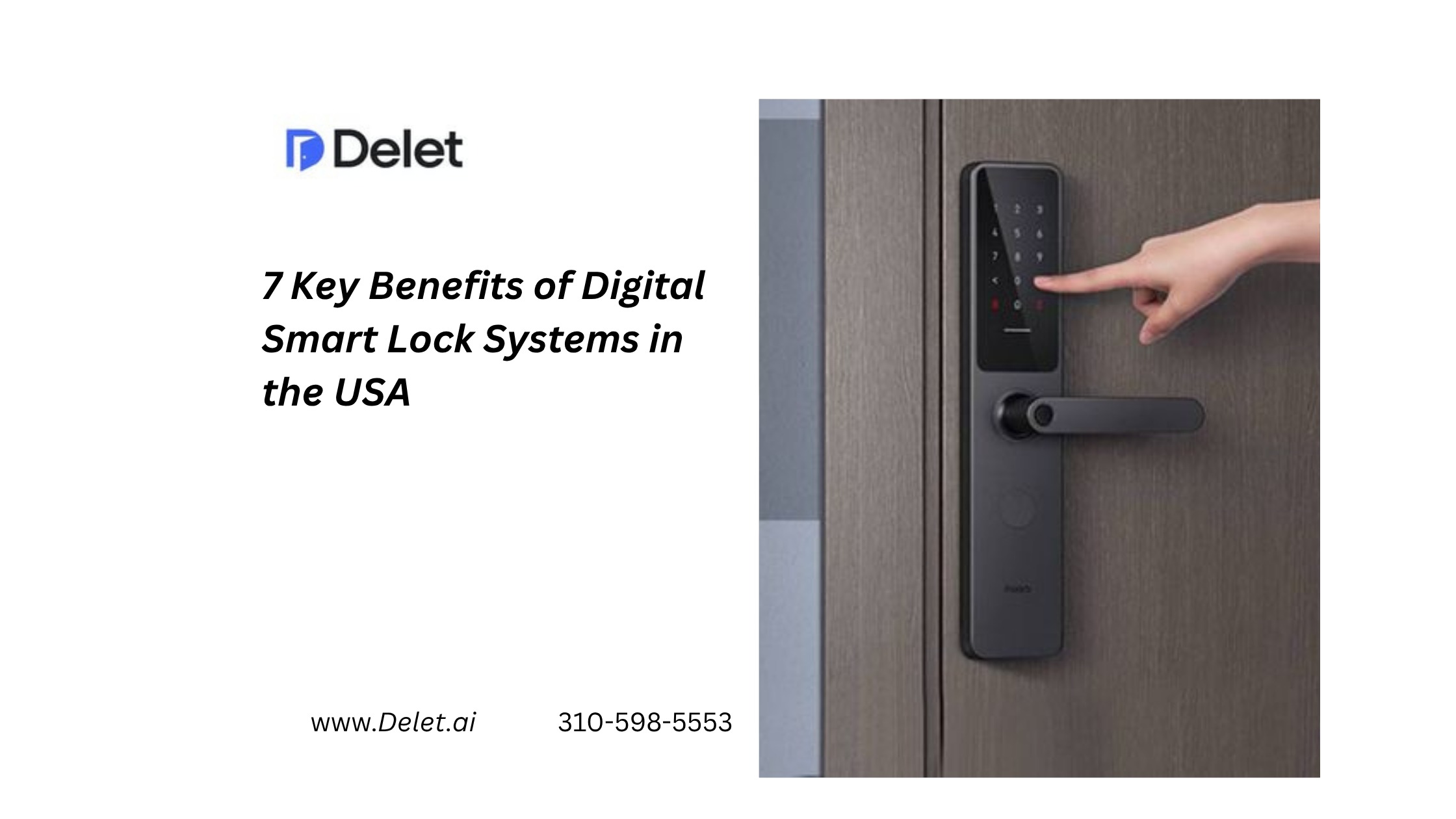
For U.S. property managers, Digital Smart Lock Systems are becoming more than a replacement for traditional keys. They can become an operational layer connecting property access, apartment self tours, leasing workflows, maintenance, vendors, and resident access.
That matters because physical keys create a surprisingly large amount of work.
Someone has to distribute them, recover them, track them, replace them, and rekey locks when necessary.
Smart access changes that model by allowing property teams to create, manage, and revoke digital credentials.
For multifamily communities in California and across the USA, the biggest opportunity is not simply going keyless. It is creating controlled, trackable, and flexible access.
1. Digital Smart Locks Reduce Key Management Work
Traditional keys create recurring operational tasks.
A leasing employee may need to:
- Find the correct key
- Coordinate a pickup
- Hand keys to a prospect
- Collect them afterward
- Track missing keys
- Rekey locks after turnover
Smart locks replace many of these manual steps with digital credentials.
Property managers can issue temporary access codes or mobile credentials and revoke them when access is no longer required. Multifamily smart-access providers increasingly support temporary credentials, staff permissions, audit trails, and automated access management.
For a California operator managing multiple communities, the operational benefit becomes even more significant as the number of doors increases.
2. Smart Locks Make Apartment Self Tours More Practical
One of the strongest applications is the Apartment Self Tour.
Instead of requiring a leasing agent to physically open every vacant apartment, qualified prospects can receive controlled access during a scheduled tour window.
A typical workflow can look like:
Prospect books → identity is verified → temporary credential is created → prospect enters → tour is monitored → credential expires.
Rently, for example, describes a workflow where prospects inquire, complete identity verification, and receive time-sensitive access for self-guided touring.
Other systems similarly support automatically provisioned credentials that expire when the tour window ends.
This is particularly useful when prospects want to tour:
- Evenings
- Weekends
- Holidays
- During lunch hours
- Outside leasing-office hours
The result is greater tour availability without requiring the same increase in staffing.
3. Digital Access Improves Control Over Who Enters
A physical key generally answers one question:
Does this person have the key?
A digital access system can answer much more:
- Who received access?
- Which door were they authorized to open?
- When was access permitted?
- When should it expire?
- Was the credential revoked?
- Was the access event recorded?
That makes Visitor Identity Verification and smart access particularly powerful when used together.
The FTC reported nearly 65,000 rental scams and approximately $65 million in reported losses since 2020, highlighting the broader trust and verification problem surrounding digital rental transactions.
Smart locks do not prevent rental scams by themselves, but when integrated into a verified leasing workflow, they can create stronger operational controls around property access.
4. Smart Access Supports After-Hours Leasing
A prospect does not necessarily become interested in an apartment between 9 a.m. and 5 p.m.
They may search after work.
They may submit an inquiry at night.
They may want to tour on Saturday.
Traditional access models can force that prospect into the property’s schedule.
Digital access can reverse the relationship.
Instead of:
“When can our leasing team meet you?”
the experience can become:
“Choose an available tour time that works for you.”
That difference can remove a major source of friction from the leasing process.
5. Centralized Management Becomes Easier Across Multiple Properties
Smart locks become more valuable as a portfolio grows.
Managing five doors manually is one problem.
Managing hundreds or thousands across multiple communities is another.
A Centralized Property Dashboard can allow authorized teams to manage access across properties without physically visiting each location.
Depending on the platform, teams may be able to manage:
- Temporary credentials
- Staff access
- Vendor access
- Maintenance access
- Resident credentials
- Tour access
- Access permissions
- Audit records
Modern multifamily systems increasingly position centralized access control as part of a broader property-management technology stack rather than as an isolated lock.
6. Smart Locks Can Improve Maintenance and Vendor Access
Self tours are only one use case.
Property managers also need to give controlled access to:
- Maintenance teams
- Contractors
- Cleaners
- Inspectors
- Photographers
- Vendors
- Turnover crews
Instead of handing out permanent keys, managers can issue temporary credentials.
For example, a California property manager could provide a contractor access from 10:00 a.m. to 12:00 p.m. and automatically remove that access afterward.
This creates a cleaner access process and reduces the need for physical key handoffs.
7. Smart Locks Create a Foundation for Real-Time Property Operations
The biggest long-term advantage is not the lock itself.
It is the data and automation surrounding the lock.
When smart access is connected with leasing technology, property teams can build workflows around:
Identity verification + Smart Lock Integration + Tour Scheduling + Real-Time Tour Monitoring + Centralized Property Dashboard
Advanced systems can also connect access events with other property technologies.
For example, smart communities may combine digital locks with cameras, thermostats, lighting, sensors, and centralized management.
That creates a broader operational model where access becomes part of the property’s technology infrastructure.
What Should Property Managers Look for in a Digital Smart Lock System?
Not every smart lock is suitable for multifamily housing.
A consumer-grade lock designed for one homeowner is not automatically the right solution for a 300-unit apartment community.
Before purchasing, evaluate the complete workflow.
Smart Lock Buying Checklist
Security and access
- Time-limited credentials
- Instant credential revocation
- Unique visitor credentials
- Access history
- Staff permission controls
Apartment self tours
- Online scheduling
- Identity verification
- Automated access provisioning
- Automatic credential expiration
- Tour status tracking
Technology
- PMS/CRM integration
- API availability
- Centralized dashboard
- Mobile management
- Multiple-property support
Reliability
- Battery monitoring
- Connectivity options
- Offline access capabilities where appropriate
- Emergency access procedures
- Backup entry methods
Some smart-lock platforms specifically emphasize offline-capable access to avoid making every door dependent on Wi-Fi or extensive cabling.
Smart Locks vs. Traditional Lockboxes
| Feature | Traditional Lockbox | Digital Smart Lock |
| Temporary access | Limited | Yes |
| Digital credentials | No | Yes |
| Remote management | Limited | Yes |
| Access history | Limited | Usually available |
| Automatic expiration | Usually limited | Yes |
| Resident access | Basic | Advanced |
| Vendor access | Manual | Temporary digital access |
| Self tours | Possible | Highly suitable |
| Portfolio management | Limited | Centralized options |
| Integration potential | Limited | Higher |
A lockbox can still be appropriate for some properties, particularly when operators need a low-cost solution.
But operators planning a broader smart-property strategy should consider whether they are buying a box for keys or an access-control system.
Best Practices for U.S. Multifamily Operators
Start With the Workflow, Not the Hardware
Map the entire access journey before choosing a device.
Ask:
Who needs access, why do they need it, how long should they have it, and what happens afterward?
That simple framework exposes many operational gaps.
Use Time-Limited Credentials
Avoid permanent access whenever temporary access is sufficient.
Tour credentials should expire automatically.
Vendor credentials should have defined windows.
Former residents should lose access immediately after move-out.
Connect Verification With Access
Identity verification should happen before access is granted where the risk profile and applicable policies justify it.
This is especially important for self-guided tours.
Monitor Exceptions
Automation should handle routine access.
Human teams should focus on exceptions:
- Failed verification
- Access problems
- Suspicious activity
- No-shows
- Rescheduling
- Maintenance emergencies
Protect Renter Privacy
Smart access and monitoring create data.
That means operators should establish clear policies around:
- What data is collected
- Why it is collected
- Who can access it
- How long it is retained
- How residents and prospects are informed
This is particularly important for operators working across California, where privacy expectations and legal requirements deserve careful review with qualified counsel.
Common Mistakes When Implementing Smart Locks
Choosing a Consumer Lock for a Multifamily Problem
A low-cost lock may look attractive until staff need centralized control across hundreds of units.
Ignoring Connectivity
A system that depends entirely on property Wi-Fi may create problems in vacant units or locations with inconsistent connectivity.
Treating Smart Locks as a Standalone Product
The greatest operational value comes when access connects with leasing and property-management workflows.
Making Verification Too Complicated
Security should not create unnecessary renter friction.
The goal is to verify appropriately while keeping the tour experience straightforward.
Forgetting Resident and Vendor Access
Self tours are only one use case. Evaluate the system across the full property lifecycle.
What the Best Smart Lock Strategy Looks Like
A strong U.S. multifamily implementation should look something like this:
Lead ↓Identity Verification ↓Tour Booking ↓ Temporary Smart Credential ↓ Apartment Self Tour ↓ Real-Time Tour Monitoring ↓ Automated Credential Expiration ↓ Leasing Follow-Up ↓ Application ↓ Resident Digital Access
This is where smart locks become more than hardware.
They become part of the leasing and property-management operating system.
Related blog: Apartment Self-Tour Technology Explained: Where It Fits in Property Management Software
Conclusion
The strongest benefit of Digital Smart Lock Systems in the USA is not simply replacing metal keys with digital credentials.
It is creating a more controlled way to manage property access.
For property managers, smart access can support apartment self tours, temporary vendor access, resident credentials, centralized management, visitor identity verification, and real-time operational visibility.
For renters, the experience can be simpler: schedule a tour, receive authorized access, enter securely, and leave without waiting for someone to hand over a key.
The next generation of property management will not treat access as an isolated hardware problem.
It will connect smart lock technology, leasing automation, verification, monitoring, and property operations into one coordinated workflow.
For U.S. and California multifamily operators, that is the real opportunity behind smart access.
FAQs About Digital Smart Lock Systems in the USA
What are digital smart lock systems?
Digital smart lock systems use electronic credentials such as PINs, mobile credentials, Bluetooth, or other digital methods instead of relying solely on traditional physical keys.
Are smart locks good for apartment self tours?
Yes. Smart locks can support apartment self tours by providing qualified prospects with temporary access during a scheduled tour window. Systems can also integrate identity verification and access tracking.
Can property managers control smart locks remotely?
Many property-management smart lock platforms allow authorized staff to issue, modify, and revoke credentials remotely through a centralized dashboard.
Do smart locks require Wi-Fi?
Not necessarily. Some systems support Bluetooth, cellular, or offline PIN-based access, while others depend on Wi-Fi or another network connection. Operators should evaluate connectivity requirements before deployment.
Can smart locks help reduce staffing workload?
They can reduce manual tasks associated with key handoffs, tour access, vendor entry, and credential management. The impact depends on the property’s workflow and level of automation.
How do smart locks improve apartment self tours?
They can allow qualified prospects to receive controlled, time-limited access without requiring a leasing employee to meet them at the property.
Are smart locks secure enough for multifamily properties?
Security depends on the complete system, not just the lock. Property managers should evaluate credential controls, encryption, access logs, authentication, device management, privacy practices, and emergency procedures.
Should California property managers use smart locks?
Smart locks can be valuable for California multifamily operators, particularly where flexible touring, centralized access, and operational efficiency are priorities. However, operators should review applicable building, privacy, accessibility, and security requirements before deployment
August 28, 2026